Assist++
Table of contents
1. Introduction
2. Assist - code-completion
3. Simple symbol completion, abbreviations
4. Code navigation
5. Navigator
6. Graphical symbols used by Assist++
7. Definition/Declaration conversion
8. Showing errors while editing, information tips
9. Virtual functions
10. Events
11. Layout code generation
1. Introduction
Assist++ analyzes C++ code of your project using libclang and provides several useful tools.
2. Assist - code-completion
This tool provides list of class members after typing '.', '->', '::'. It can also be invoked explicitly by pressing Ctrl+Space. In that case, it can also list a complete list of global objects (classes, functions, variables, macros, ...) starting with the letters immediately preceding current position of the cursor.
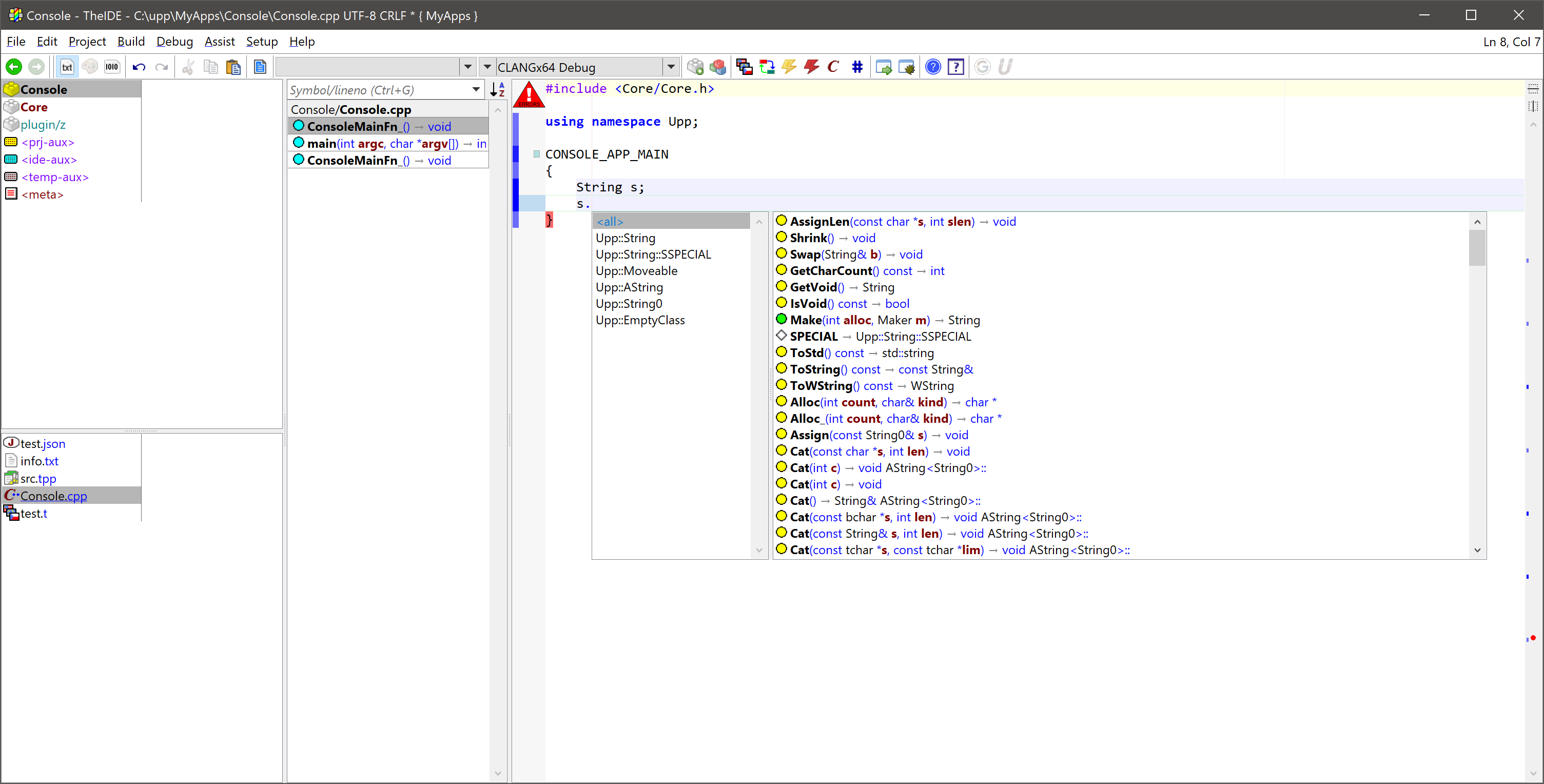
When list is displayed, you can use vertical movement keys or mouse to select desired method and then press Enter to insert it. Alternatively, you can press Tab to insert the first item in the list.
You can also limit the list to particular type by choosing it. To do so using the keyboard, use movement keys with Ctrl.
When you insert a function or macro with arguments, tooltip with the function signature is displayed and current argument is highlighted as you type:

3. Simple symbol completion, abbreviations
Sometimes it is useful to just complete identifier based solely on symbols in the file using Complete identifier (default Ctrl+,).
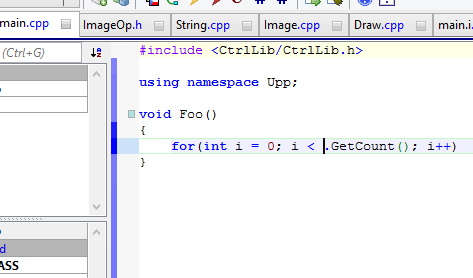
Complete abbreviation (default Alt+.) is able to assist with writing basic blocks by expanding abbreviations into templates:
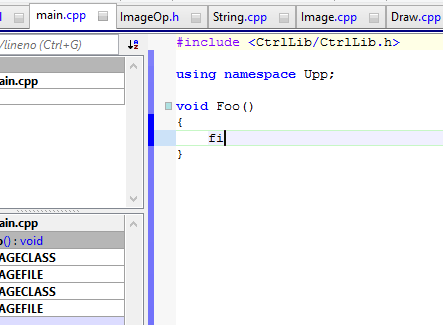
after activating Complete abbreviation, expands to
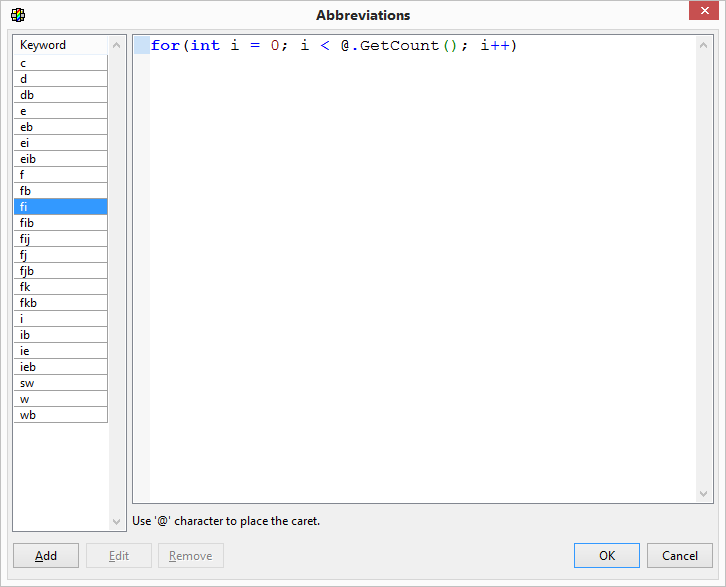
Abbreviations can be defined in Setup/Abbreviations..
4. Code navigation
Context go to (default Alt+J) navigates to the place where current symbol (function, method, type, variable) is defined. It can also be used to go to header file (when used on #include line) or matching #if/#else/#endif. Note that this is perhaps the most often used Assist++ tool...
Go to definition/declaration (default Alt+I) function goes to another place where code or data currently at cursor position are defined/declared. In most cases, this means going between .h and .cpp.
Usage (default Alt+U) shows all references in the current workspace to the symbol at cursor.
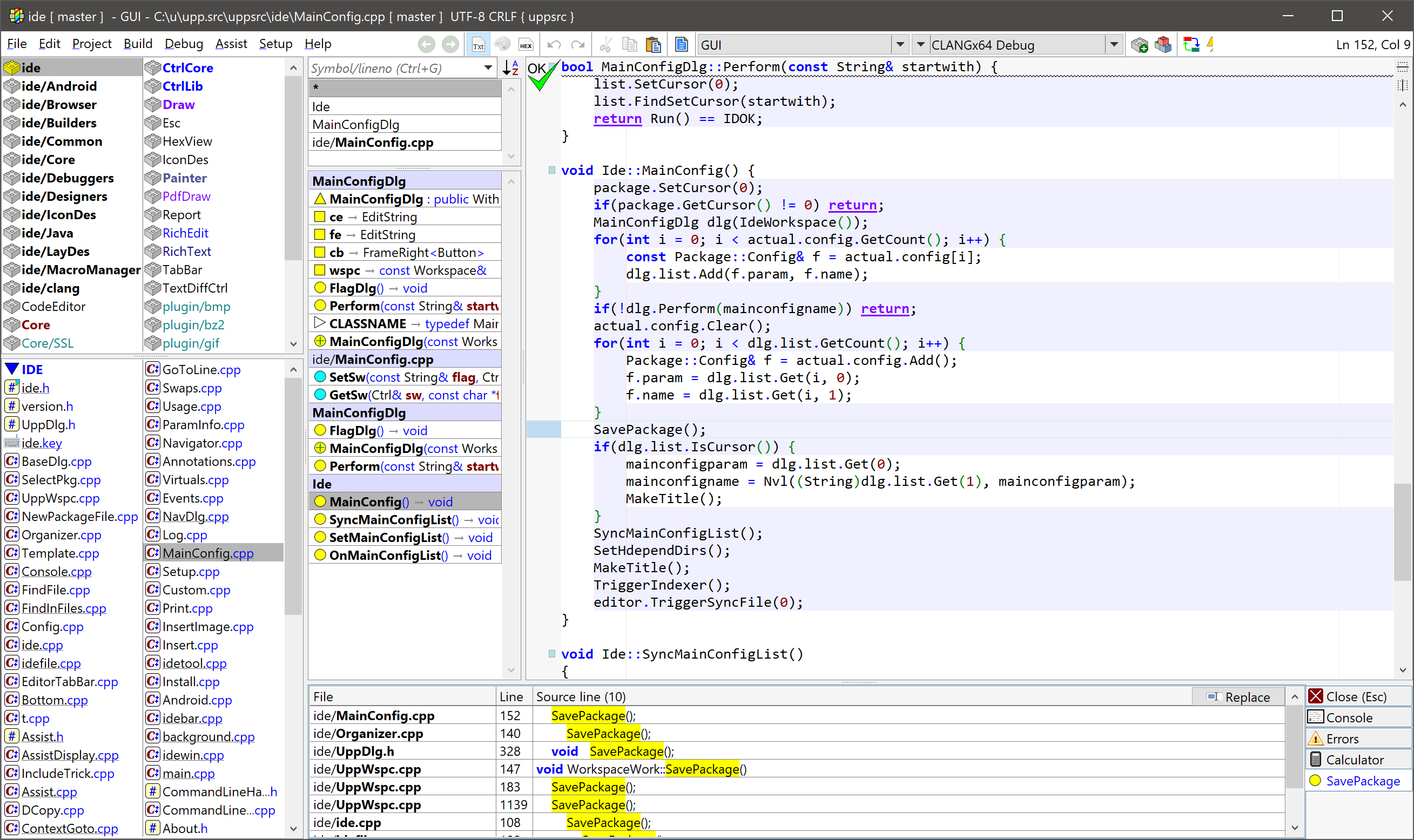
If symbol represents virtual functions, it shows base class declaration/definition and all overloads in the workspace.
Replace button in results list replaces all found instances with another text. This ultimately allows renaming functions, methods, types or variables.
Usage of current function (default Alt+U) is similar to Usage, but looks for all uses of function or methods that the cursor is currently in.
While jumping around the various places in code, it is often useful to go to the code you've seen previously. You can do this easily by pressing Alt+Left arrow and also go forward through the history of jumps with Alt+Right arrow. Alternatively, you can cycle through recent files using Ctrl+Tab.
5. Navigator
On the left side from code editor resides Navigator bar. It allows you to browse and search the code base by the name of symbol. The bar can be hidden or brought back using (default Ctrl+N).
When the search field is empty, Navigator is a list of symbols in the current file:
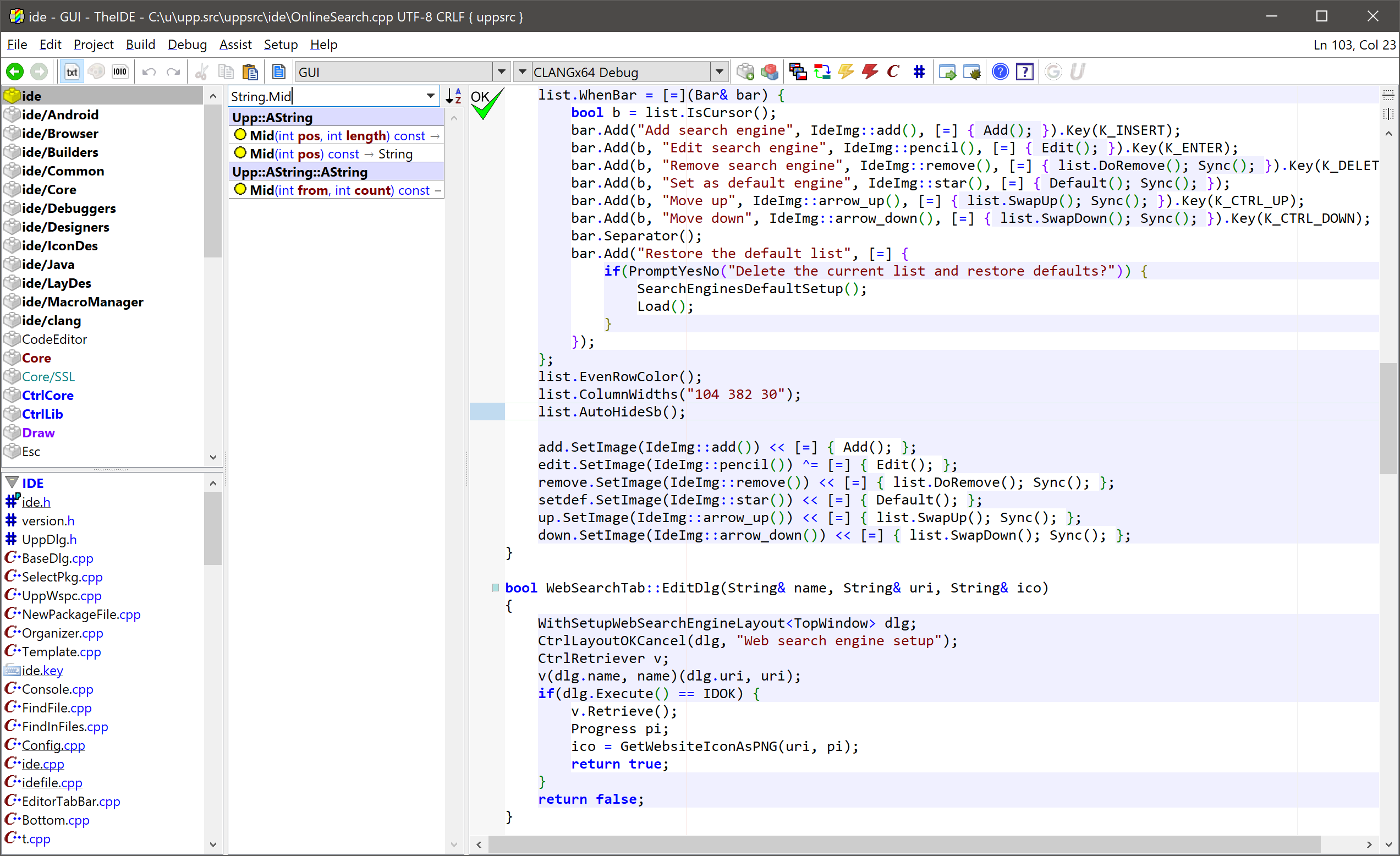
You can write a symbol name into Symbol/line field, or scope.symbol. (either of which can be ommited - scope. or .symbol are ok). Navigator will sort entries based on relevance: complete case sensitive matches are first in the list, then entries that start with search field case-sensitive, then entries that contain the text, case insensitive.
Clicking symbol entry moves cursor to definition (or declaration if definition is not available) of the symbol. However, if you hold Alt key while clicking, it shows Usage of the symbol.
Clicking on nest separator fills the search field with the nest, so that you can see all symbols that belong to the nest.
You can also use the Navigator to search for files and also to move to specific line in the current file (just enter the number and press Enter).
U++ Assist navigation functions require the database of all symbols of project. This database is updated by background threads as needed. This process is called indexing. When the update is in progress, it is indicated by small progress pie in the navigator search field:
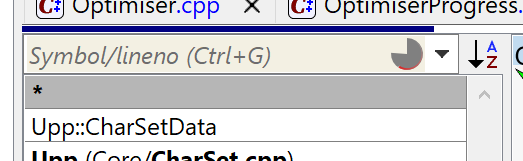
Also the background color of search is changed to indicate that the navigation information might not be up to date.
As of U++ 2023.2, indexing by default works in "relaxed mode".
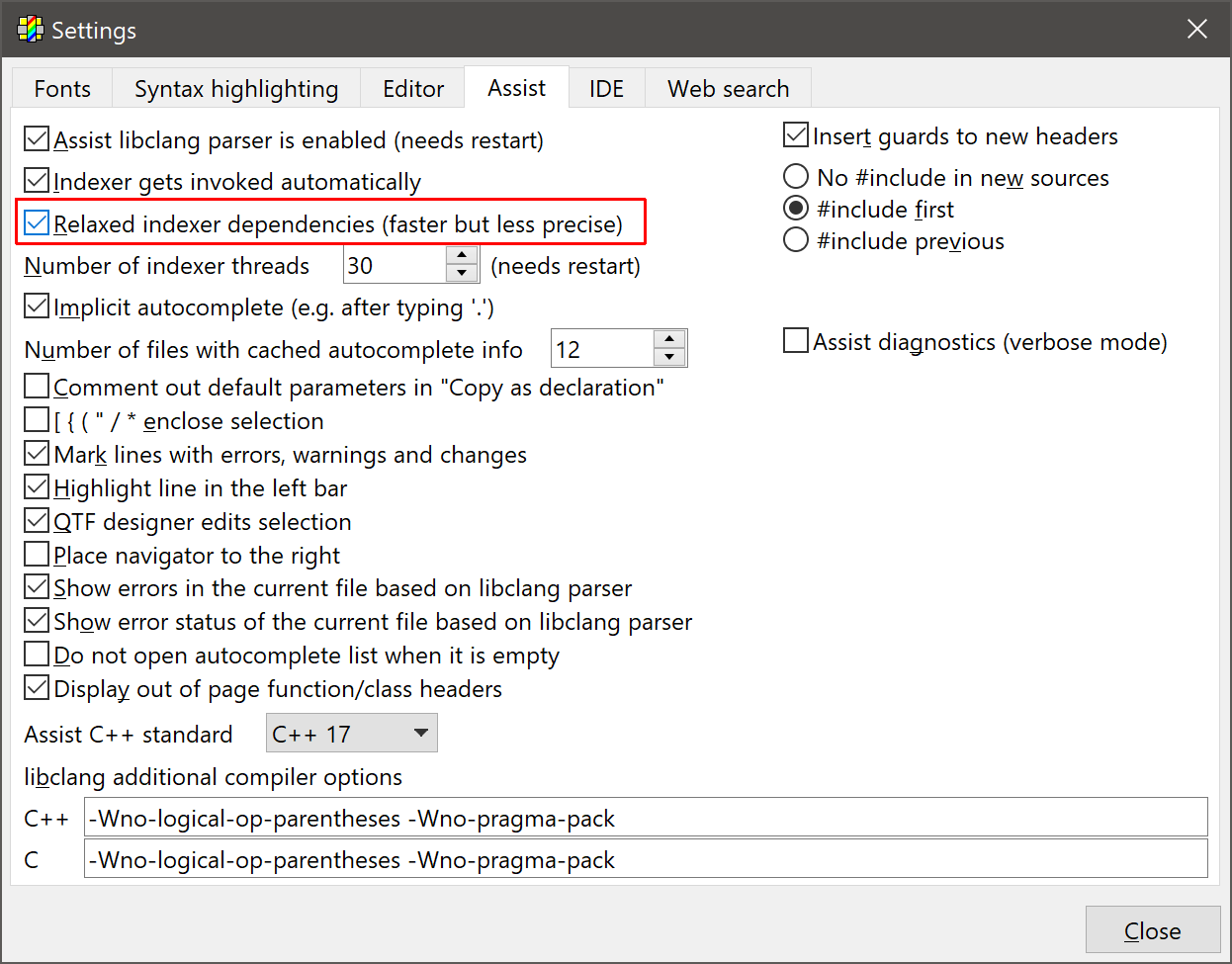
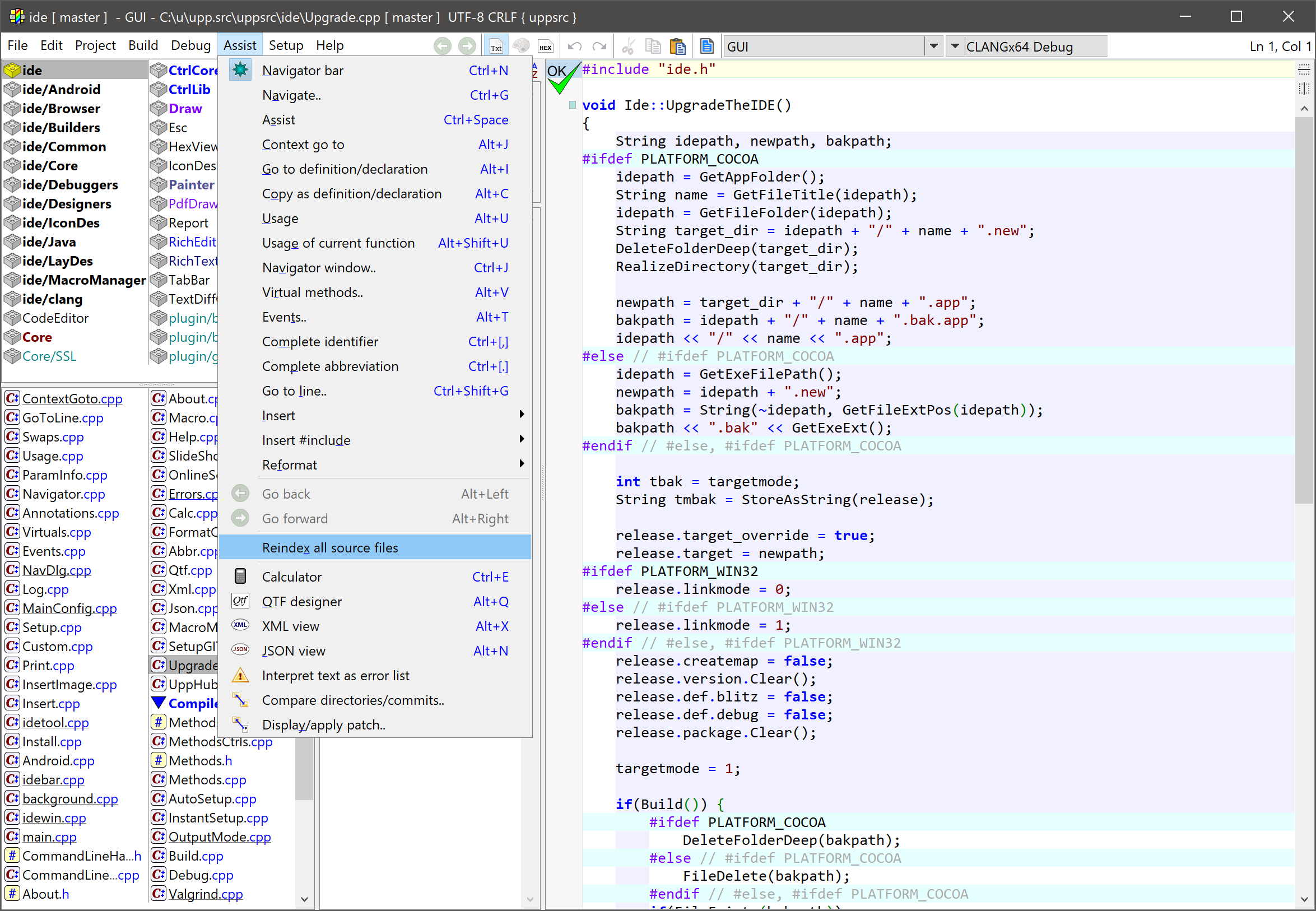
In relaxed mode, after changing the header, only the header file itself is reparsed and not source files dependent on it. It can occasionally result in inaccuracies in code coverage, however experiences demonstrated that the precise mode is too CPU heavy to be practical (when working on deep header, CPU running 100% all cores trying to catch up with changes) and in practice, inaccuracies are very rare. In any case, even in relaxed mode it is possible to invoke full reparse of all project files from the menu:
6. Graphical symbols used by Assist++
There is quite regular system in graphical symbols used by Assist++. Circles indicate code, boxes data, triangles types. Cyan color is used for global data/code, yellow color for instance data/code, gray color for class data/code.
|

|
Global variable.
|

|
Instance variable.
|

|
Class variable.
|

|
Global function.
|

|
Instance method.
|

|
Constructor.
|

|
Destructor.
|

|
Class method.
|

|
Enumerated constant.
|

|
struct, class or union.
|

|
typedef.
|

|
Macro.
|
|
|
7. Definition/Declaration conversion
Copy as definition/declaration operation (default Alt+C) is capable of converting between method declaration and definition. To use it, select desired methods:
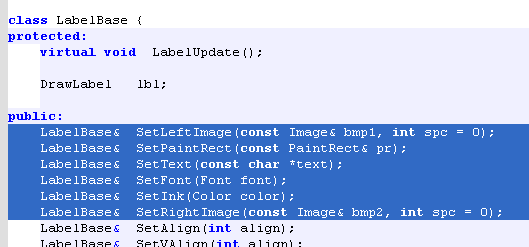
and invoke operation (default Alt+C). Assist performs conversion and stores the result to the clipboard. Move to file/position where you want your method definitions and paste:
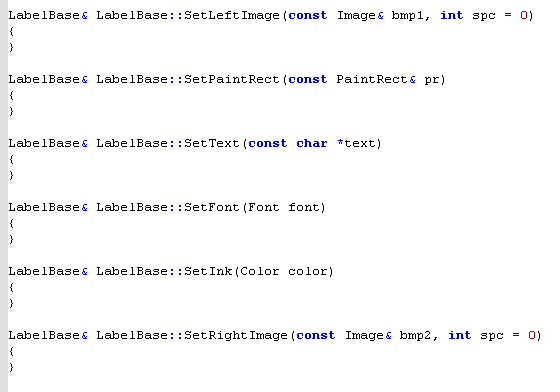
In similar way you can perform inverse conversion (from .cpp definition to header declaration).
8. Showing errors while editing, information tips
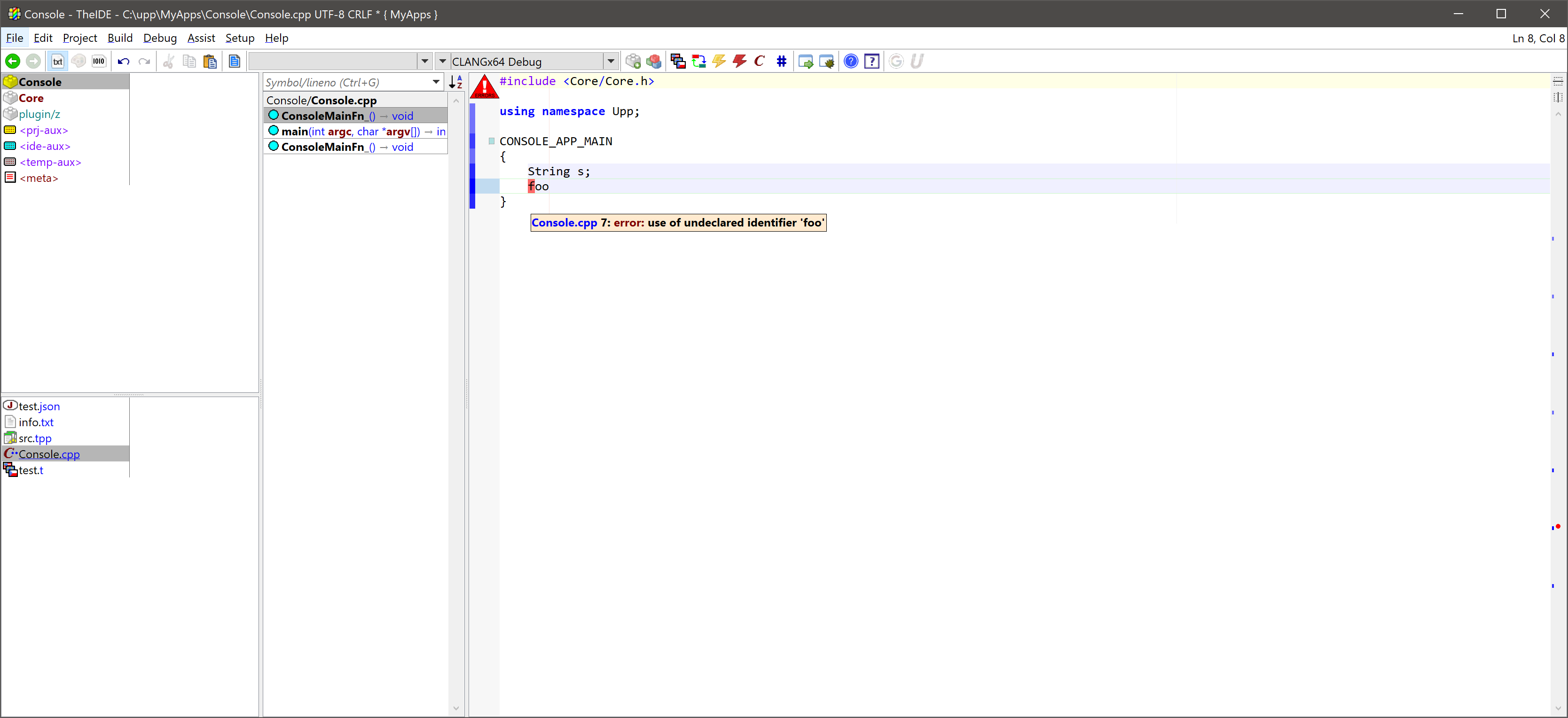
Edited file is periodically checked for errors and errors are marked with red rectangles and red dots in the scrollbar. Holding mouse over rect rectangle shows actual error:
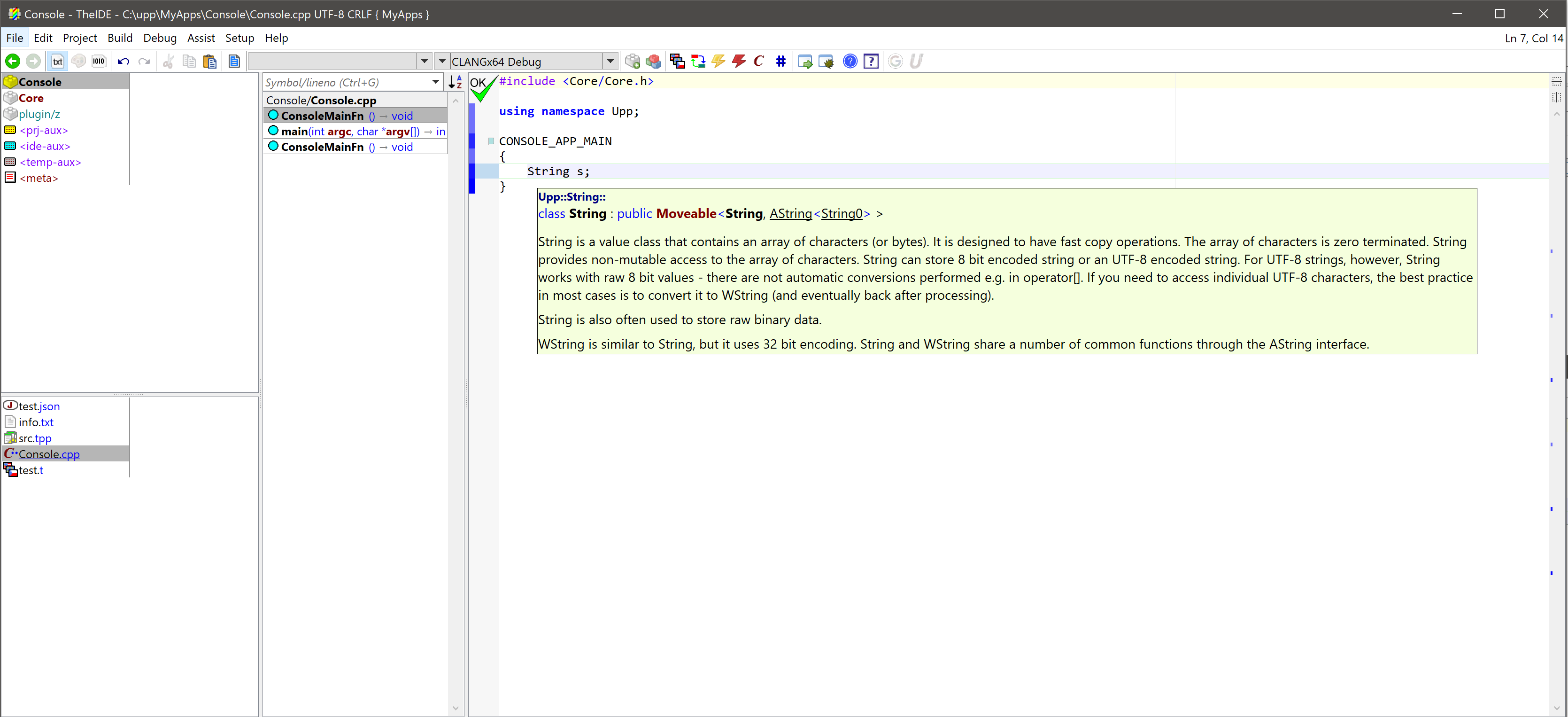
Holding mouse over any symbol also shows information about that symbol - documentation if available or at least full declaration:
9. Virtual functions
This assist operation (default Alt+V) invokes the overview of virtual methods defined in current class bases (defined by actual position, to make this operation work, place cursor inside class declaration):
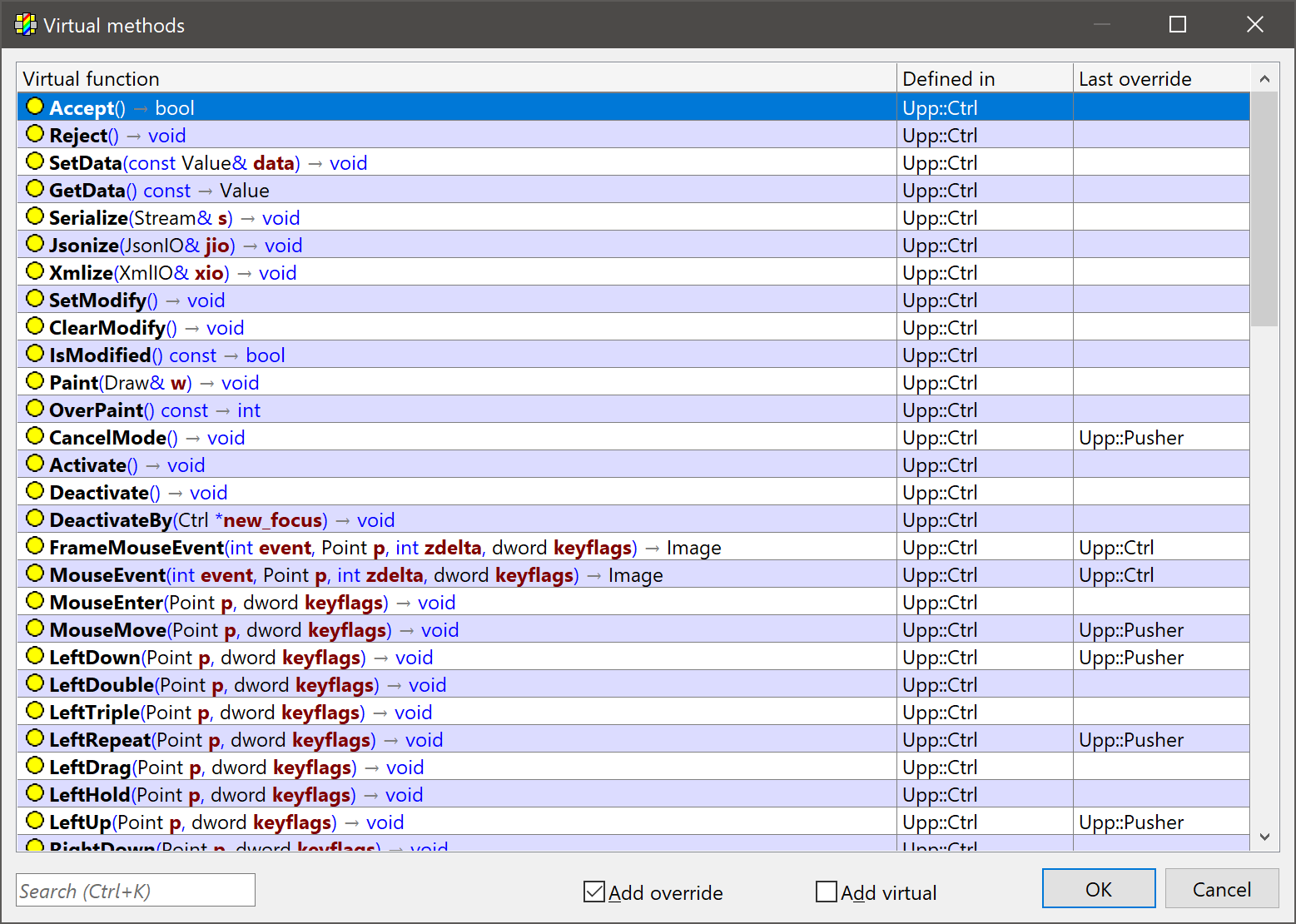
You can select one or more virtual methods to override in the current class. After pushing the "OK" button, declaration of virtual methods are inserted at current position. Definitions of virtual methods are placed on clipboard so that they can be inserted to the source file (.cpp) later.
10. Events
Events tool provides assistance with binding Events of current class and its members (usually but not limited to some GUI dialog and its widgets) to methods:
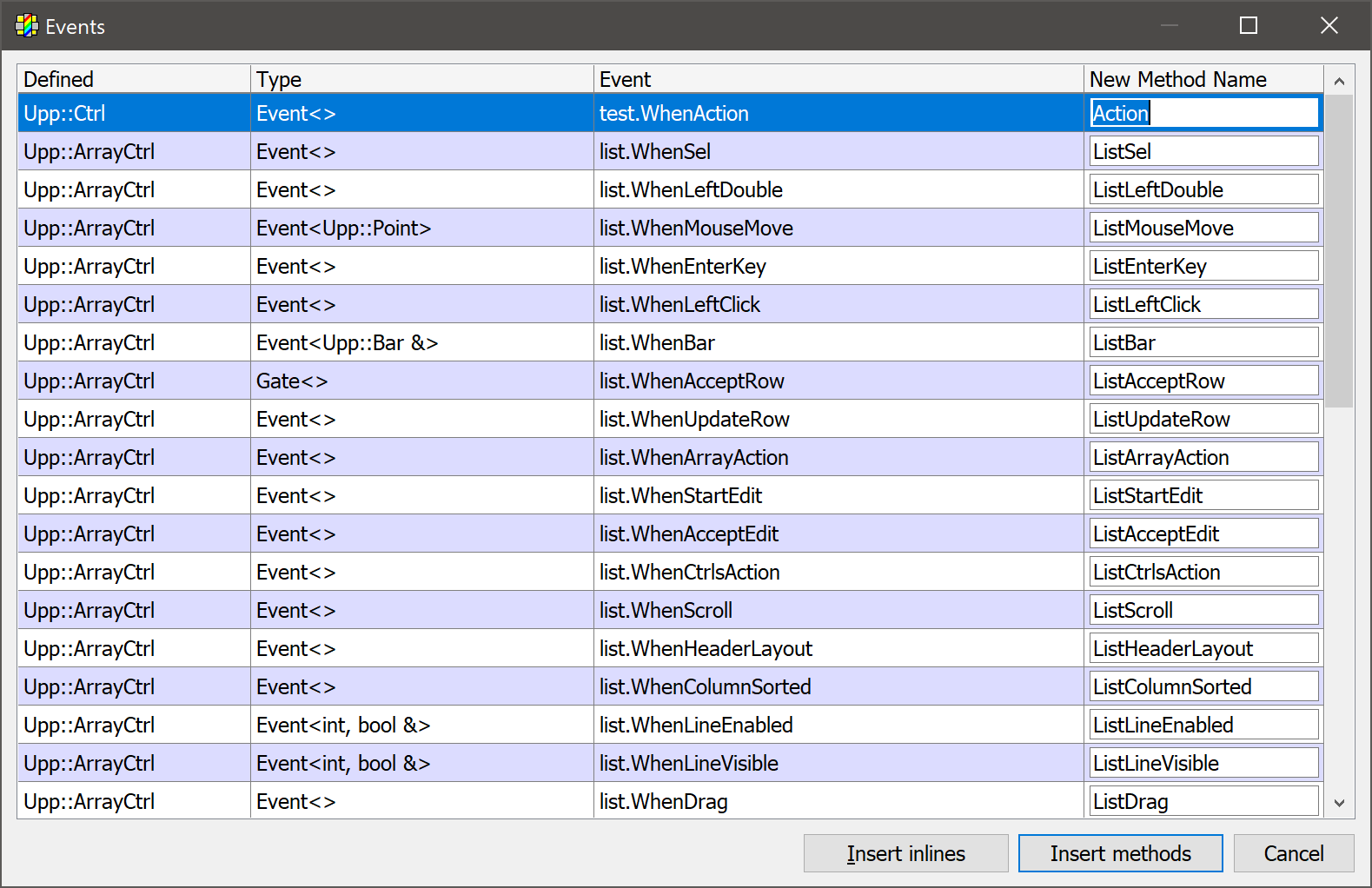
You can select multiple items with (with Ctrl+Click or Shift+Click) then insert generated code into source file with either "Insert inlines" (creates full lambda bodies) or "Insert methods" (each event gets its own method, calls to methods are inserted into the text, definition/declaration is put into clipboard).
11. Layout code generation
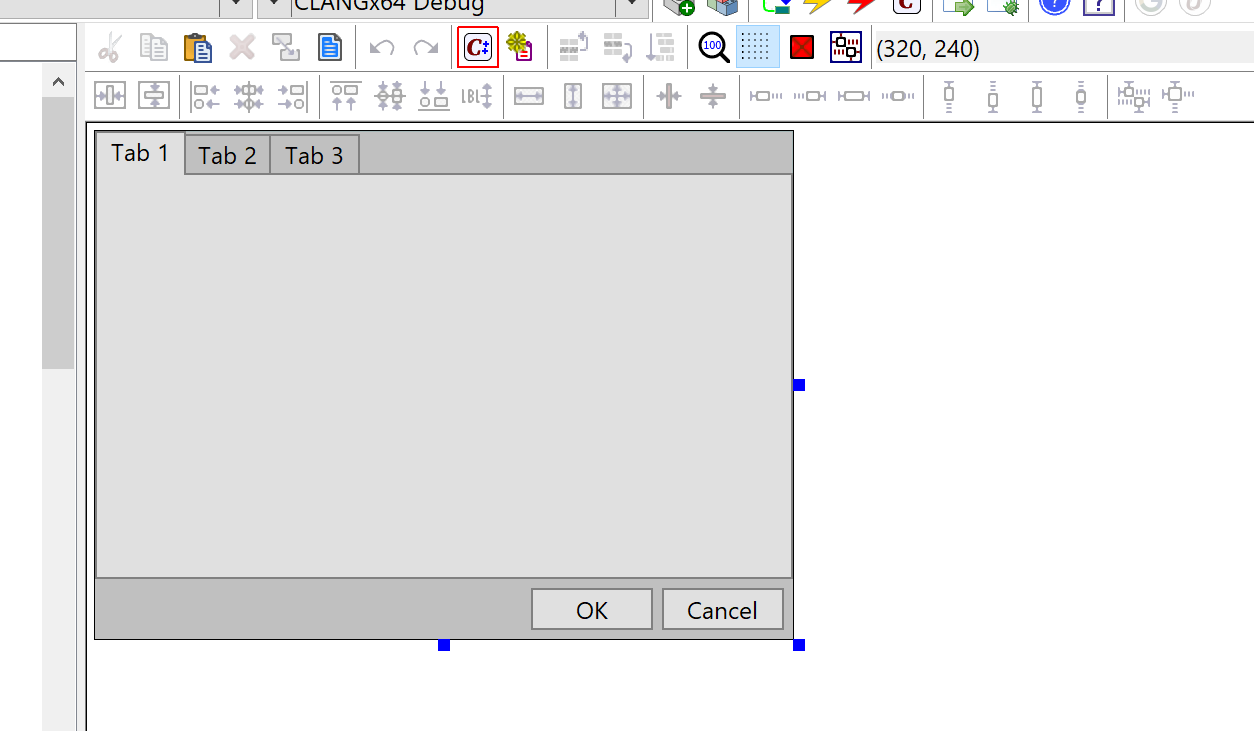
There is a tool Generate code (default Alt+C) in layout designer that can be used to generate code snippets from layouts:
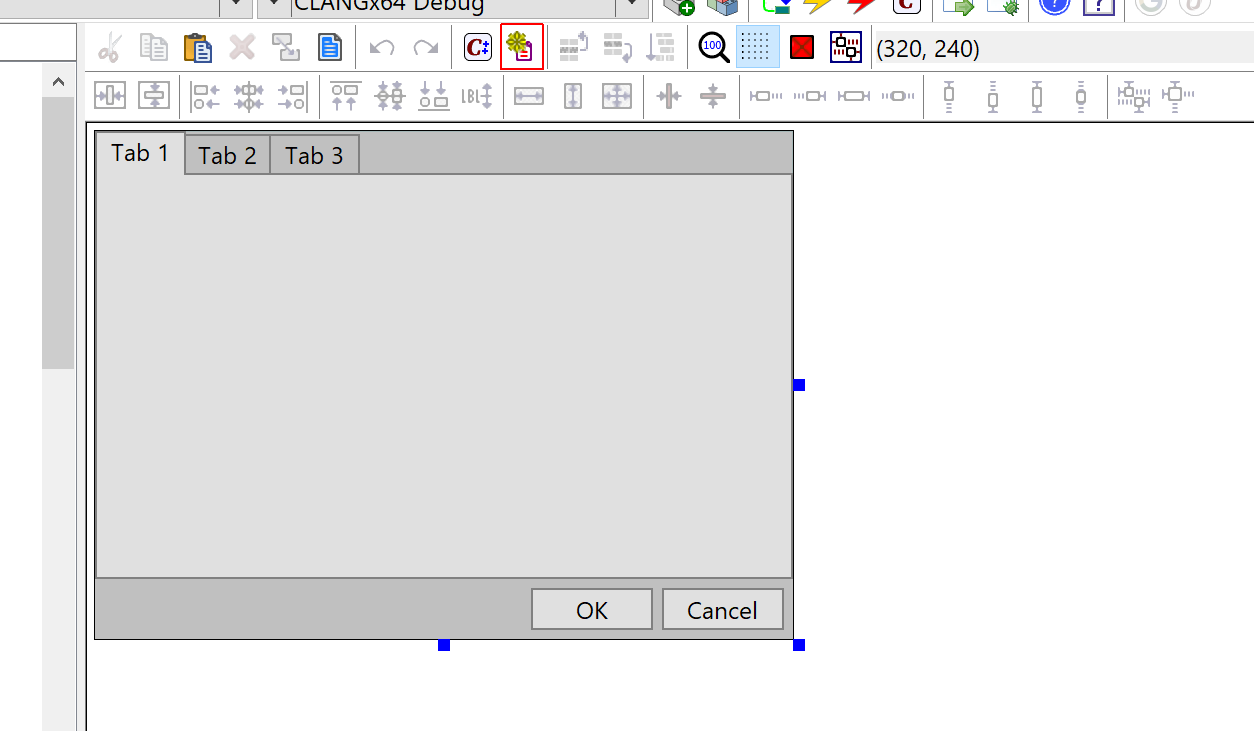
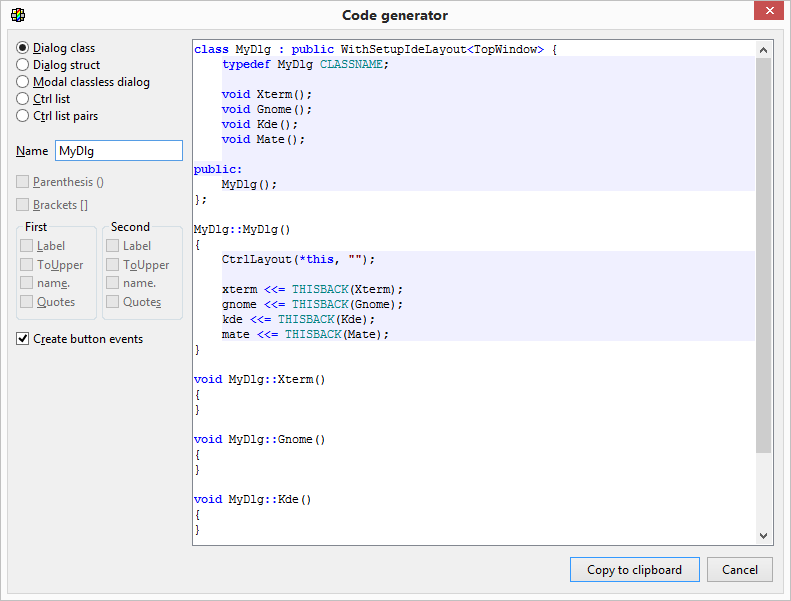
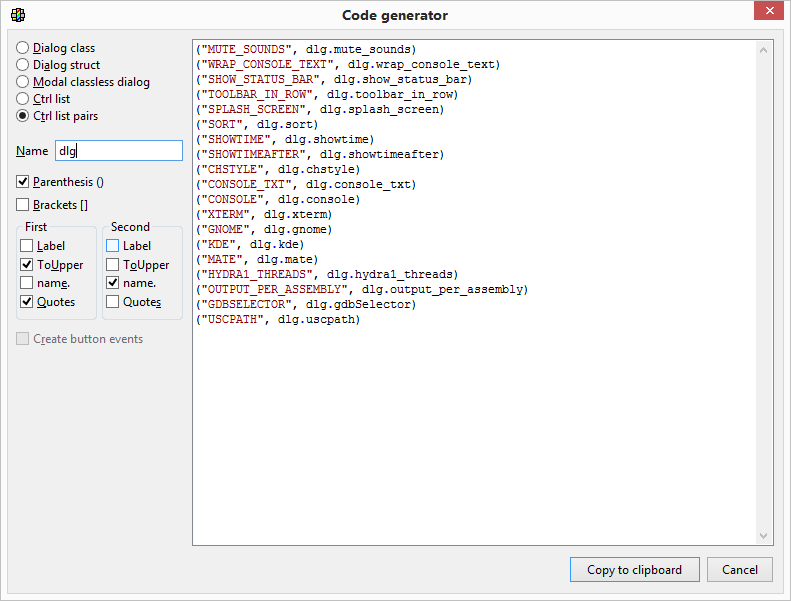
It invokes this dialog that provides some common code generators based on the layout:
Usage (default Alt+U) finds usage of current layout in the code or, if any layout item is selected, usage of selected item.
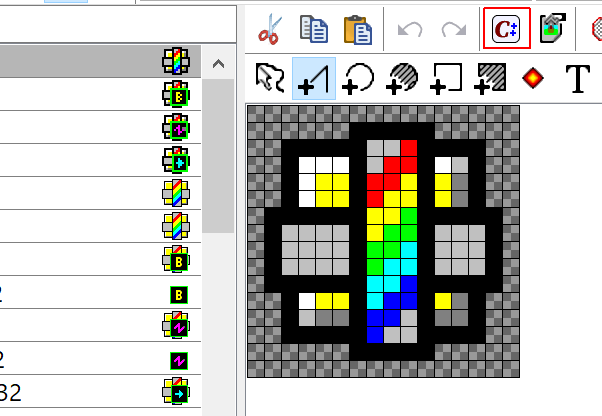
Similar feature is available in image designer as well:
|