Reacting to actual resolution, UHD support
While all widgets coordinates are always in pixels, applications need to react actual settings of target GUI to scale things accordingly.
In U++, the basic scaling factor is always determined by standard font size, which is read from host platform (scaling factor can also be adjusted by application, but that is less relevant here).
All layouts are designed in some artificial defined, relatively small, 'basic font' font size, then scaled based on ratios of standard system font to this basic font. Also, it is possible to scale individual dimensions by Ctrl::[Horz|Vert]LayoutZoom or Zx/Zy/Zsz functions.
This, when used appropriately, works well for host GUI font size between 12-22. When GUI font gets bigger, there starts to be a problem with Images (e.g. button icons) being too small. This is typical for QHD or UHD displays.
To resolve this problem, upscaled Images need to be provided in this case. This is not a problem for Images that are created by code (because they can easily incorporate scaling factor into the algorithm), but would be a problem for images from .iml resources.
To this means, iml Image has target resolution attribute. This info can be adjusted in Icon designed (right click Image name and choose Image..., or double-click Image name)
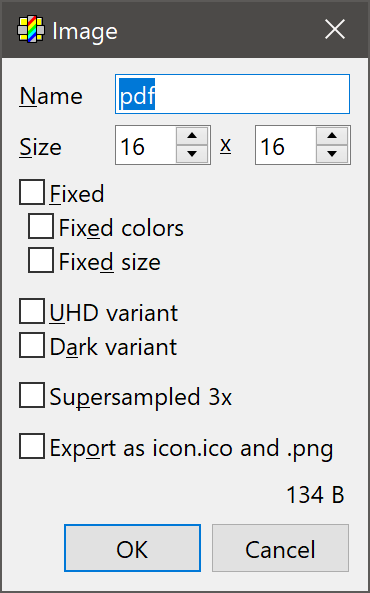
U++ tries to pick icon with exact scale first, then tries highest resolution icon and downscales it. Recommended approach is to provide 600% master source. The advantage is that this scale does not need to be drawn with antiliasing, it is oversampled enough to give good results after downscaling.
In addition to Zx/Zy/Zsz functions, U++ also provides set of DPI functions which simply scale arguments by currect fafactor - this is sometimes better approach for scaling things that are related to images.
Last but not least, some host platforms (Windows) need to be specifically informed that the application is able to handle UHD, otherwise they enter into mode when application is rendered in standard resolution and upscaled by windows (which looks quite terrible). Normally, U++ is in this "HiDPI" mode by default. You can revert to ugly upscaling mode by calling Ctrl::SetUHDEnabled(false) in INITIBLOCK.
|